
What is Auto-Turbo?
Auto-Turbo allows you to automatically renew Turbo for […]
Auto-Turbo allows you to automatically renew Turbo for your listing until you choose to turn it off.
Once enabled, your Auto-Turbo will be renewed every 7 days, and Ad Credits will be deducted accordingly. The number of Ad Credits required for each renewal may vary.
With every renewal, your listing will be refreshed within the Turbo group to help maintain its visibility.
How to Enable Auto-Turbo
1. Go to the 'My Listings' page and click the “Turbo” button.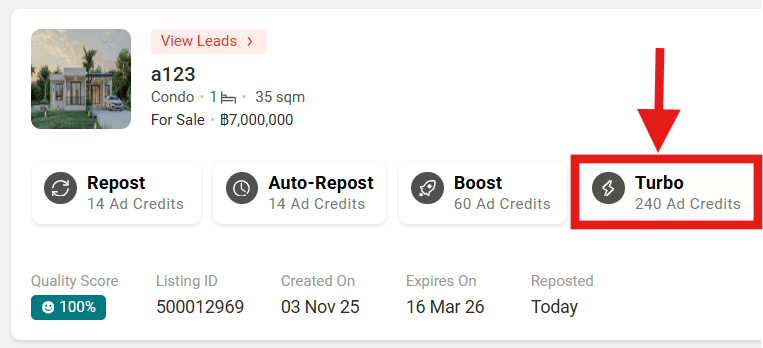
2. A pop-up will appear — select “Auto-Turbo.” — Review the details and click “Activate Auto-Turbo (XXX Ad Credits).”
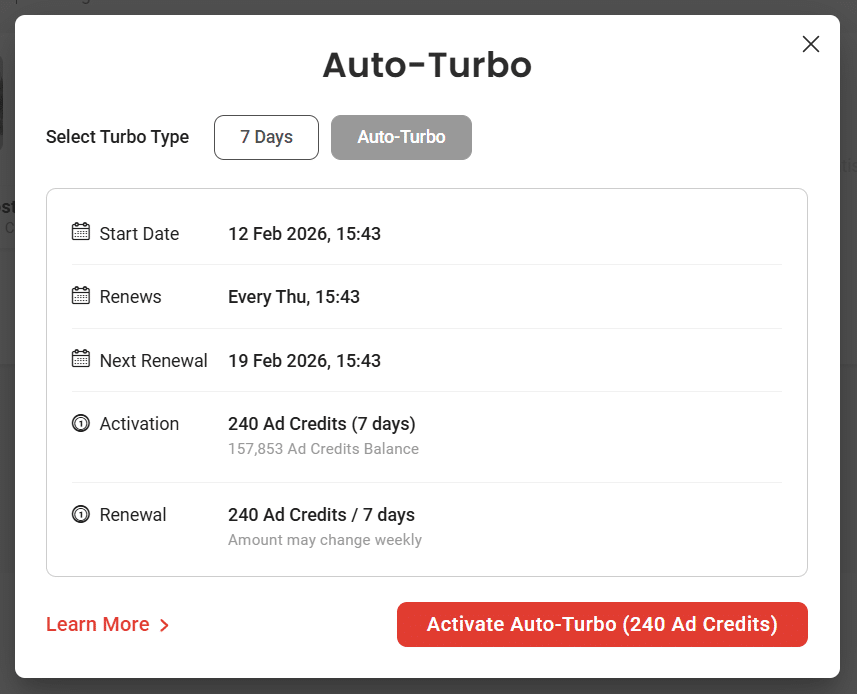
3. Once the activation is successful, an acknowledgement message will appear. Click “Got it.”
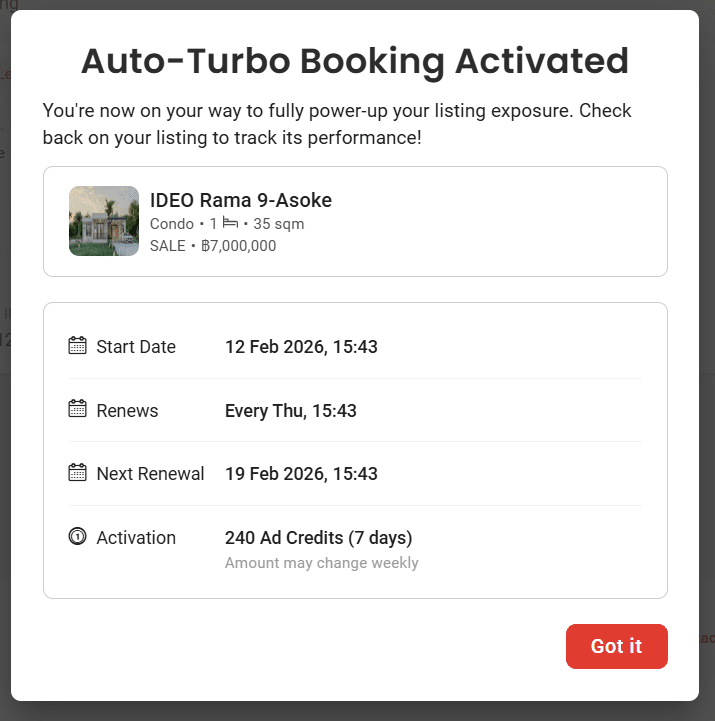
Auto-Turbo will then be activated for your listing.
How Are Ad Credits Deducted?
- Ad Credits are deducted automatically every 7 days upon renewal of your Turbo listing.
- Ad Credits are only deducted when the listing is successfully renewed for the next 7-day Turbo period.
What Happens If I Don’t Have Enough Ad Credits?
If you do not have sufficient Ad Credits at the time of renewal, Auto-Turbo will be automatically disabled.
To resume Auto-Turbo, ensure you have sufficient Ad Credits, then manually Turbo the listing and re-enable Auto-Turbo.
How Long Does Auto-Turbo Run?
Once activated, Auto-Turbo will continue running until:
-
You manually turn it off, or
-
You no longer have sufficient Ad Credits for renewal.
Can I cancel Auto-Turbo?
Yes, you can cancel Auto-Turbo at any time. Here’s how:
1. Go to the 'My Listings' page.
2. Click the Turbo button.
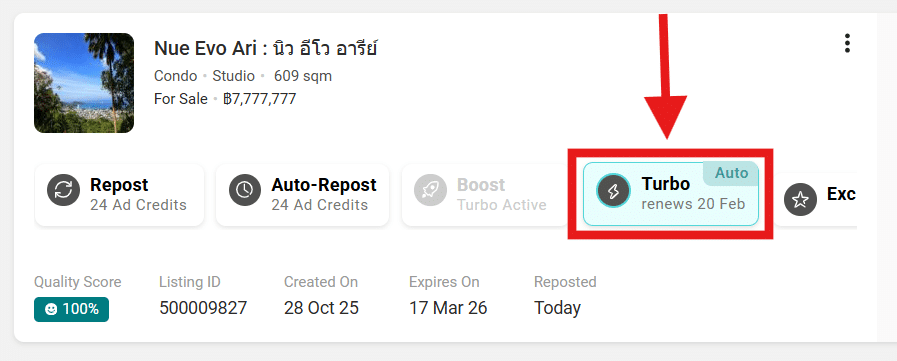
3. Select “Deactivate Auto-Turbo.”
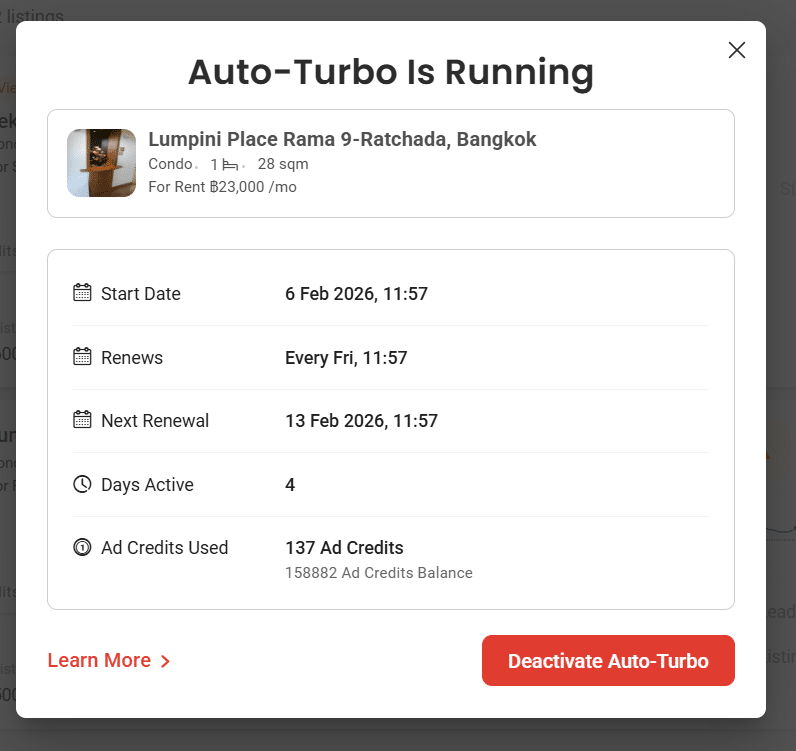
4. The Confirmation pop-up will appear; click "Yes, Deactivate."
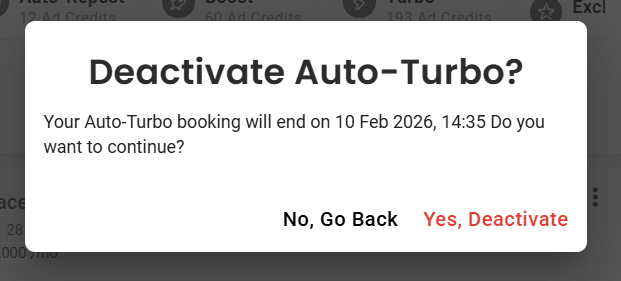
Auto-Turbo will be disabled for that listing.
I’m already using Turbo. Can I switch to Auto-Turbo?
Yes. You can enable Auto-Turbo from the 'My Listings' page. Here's how:
1. Go to the 'My Listings' page and click the "Turbo" button.
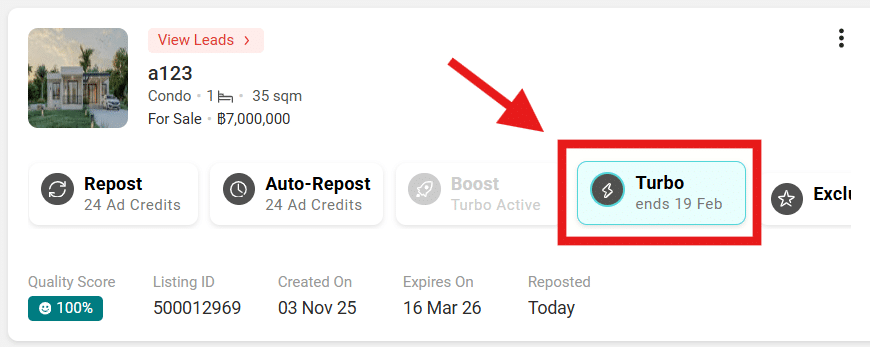
2. A pop-up will appear — select “Switch to Auto-Turbo.”
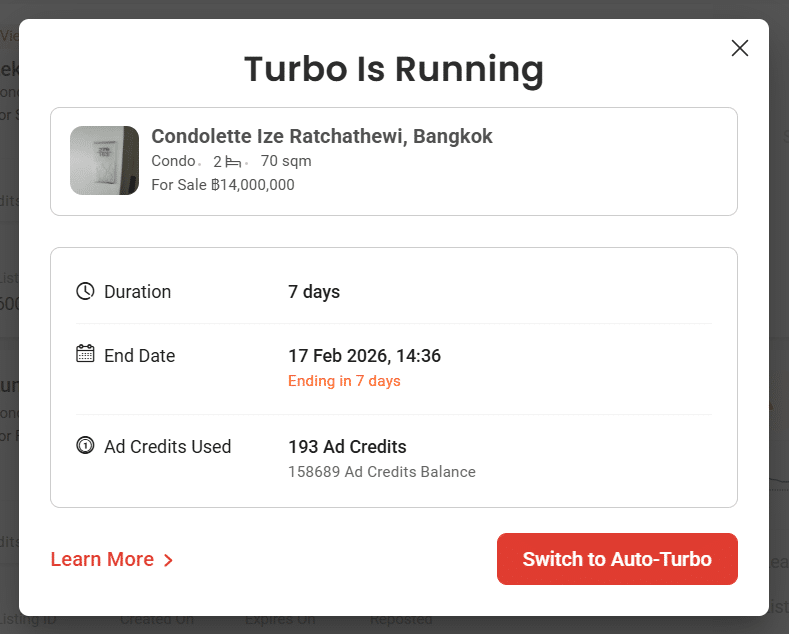
3. A confirmation box will appear. Review the details and click “Confirm Switch.”
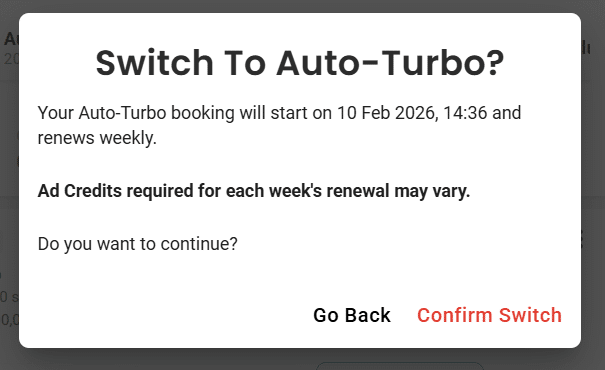
Auto-Turbo will then be activated for your listing.
Will I be charged Ad Credits every time I turn Auto-Turbo on or off multiple times?
No. There is no charge for enabling or disabling Auto-Turbo multiple times.
Selecting Auto-Turbo means that your listing will automatically renew Turbo when the current Turbo period ends.
Ad Credits are only deducted when the Turbo listing is renewed for the next 1-week period.
What happens if I enable and disable Auto-Turbo on the same day?
You can enable and disable Auto-Turbo as many times as you want.
-
If Auto-Turbo is active, the listing will be renewed automatically.
-
If Auto-Turbo is not active, the listing will not be renewed automatically.
For general enquiries, please reach out to our Customer Service at the following:
-
Phone: 02-204-9555 (Mon - Fri 09:00 – 18:00 hrs., closed on Public Holidays)
-
Email: support@ddproperty.com
Related Article: What is Turbo?